
Every product decision starts with a hard question. What does this test result mean? Which concept should we advance? What changes now that the spec did?
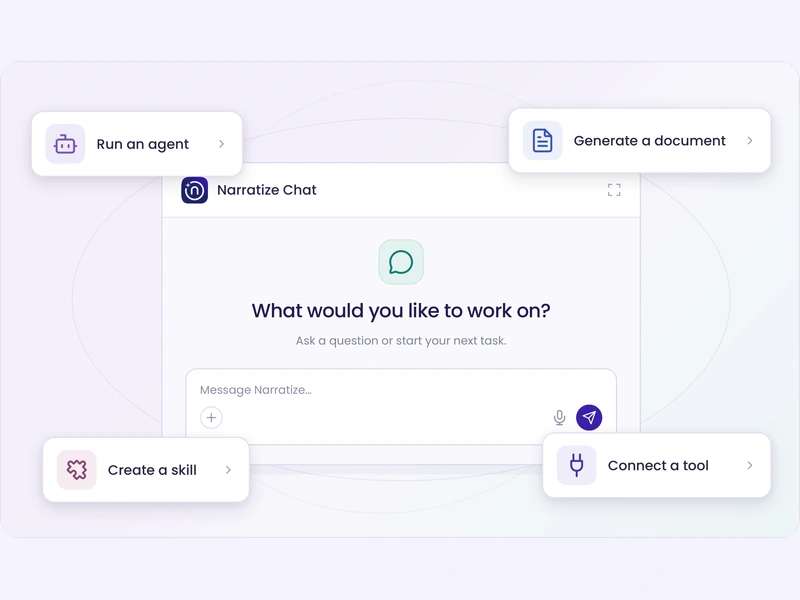
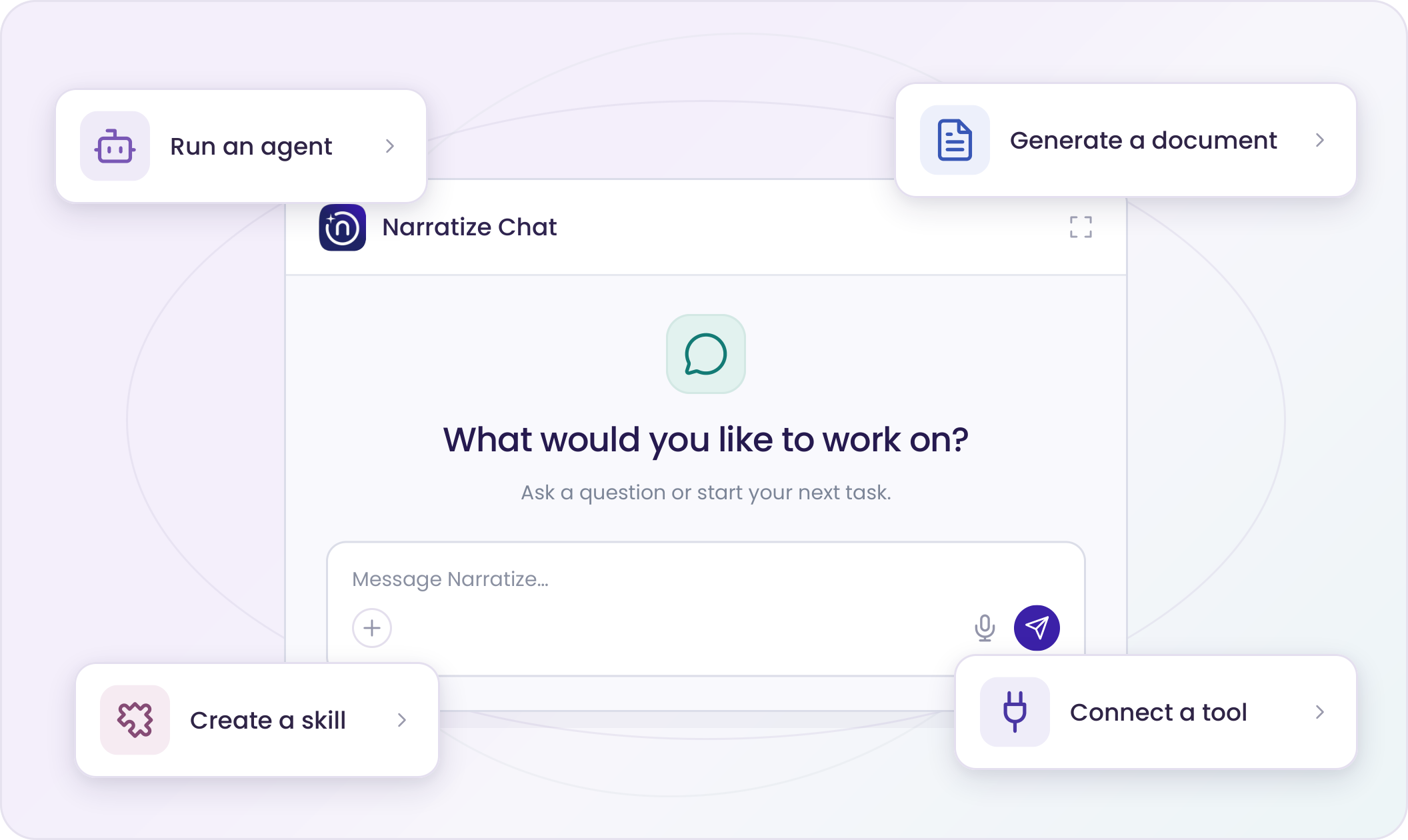
Narratize Chat is your intelligent co-innovator for those decisions. It connects to the systems you already use, thinks through the problem with you, and runs the Agents, Smart Templates, and Skills that finish the work. You go from question to reviewed document in one conversation.
Do More of Your Product Work in Chat
Run an Agent
Run a Focused Investigation from Chat
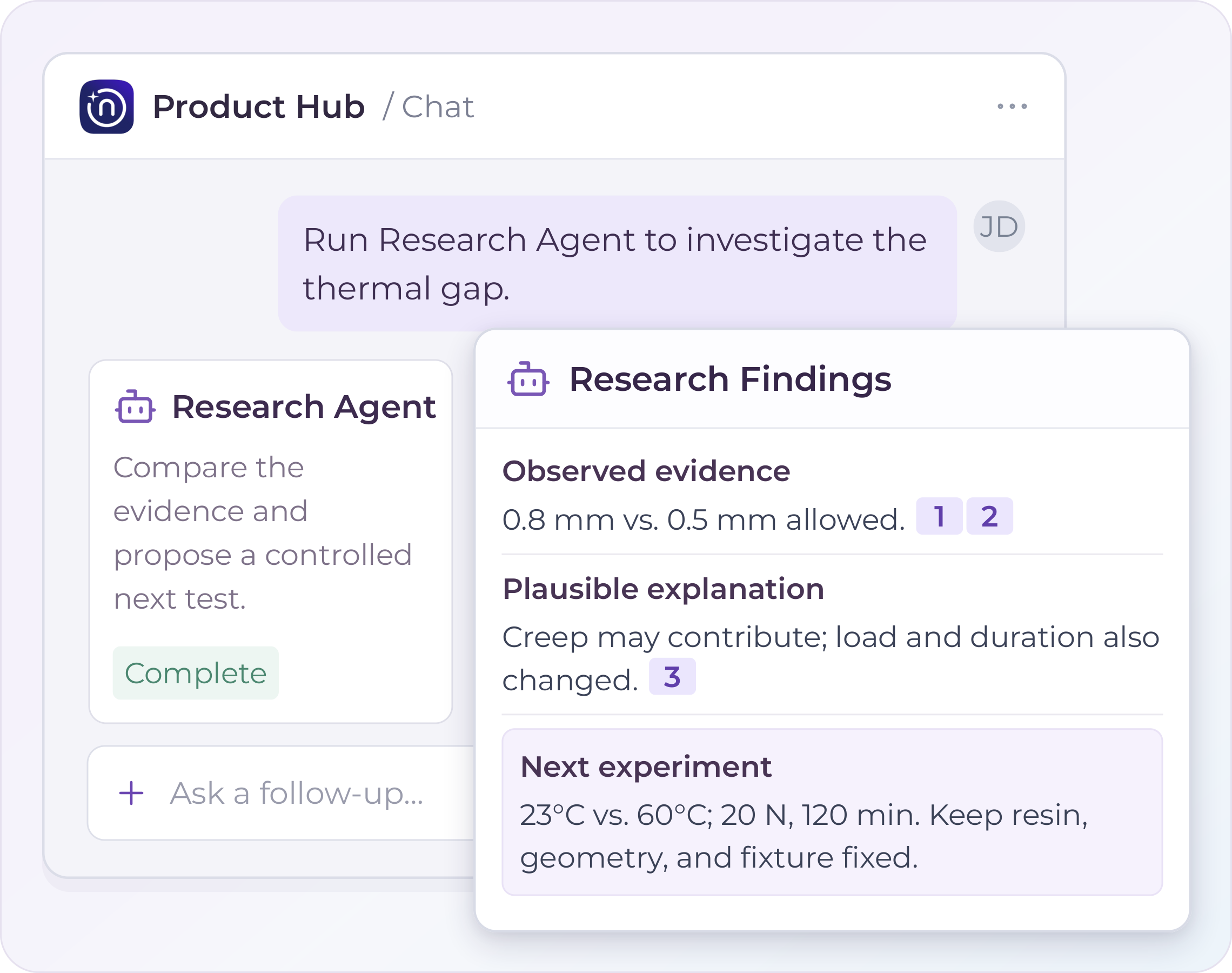
Run specialized research from Chat using the product context in your hub. Work through conflicting thermal-test findings, separate observations from proposed explanations, and review the next questions to investigate.
Smart Templates
Turn the Analysis into a Working Document
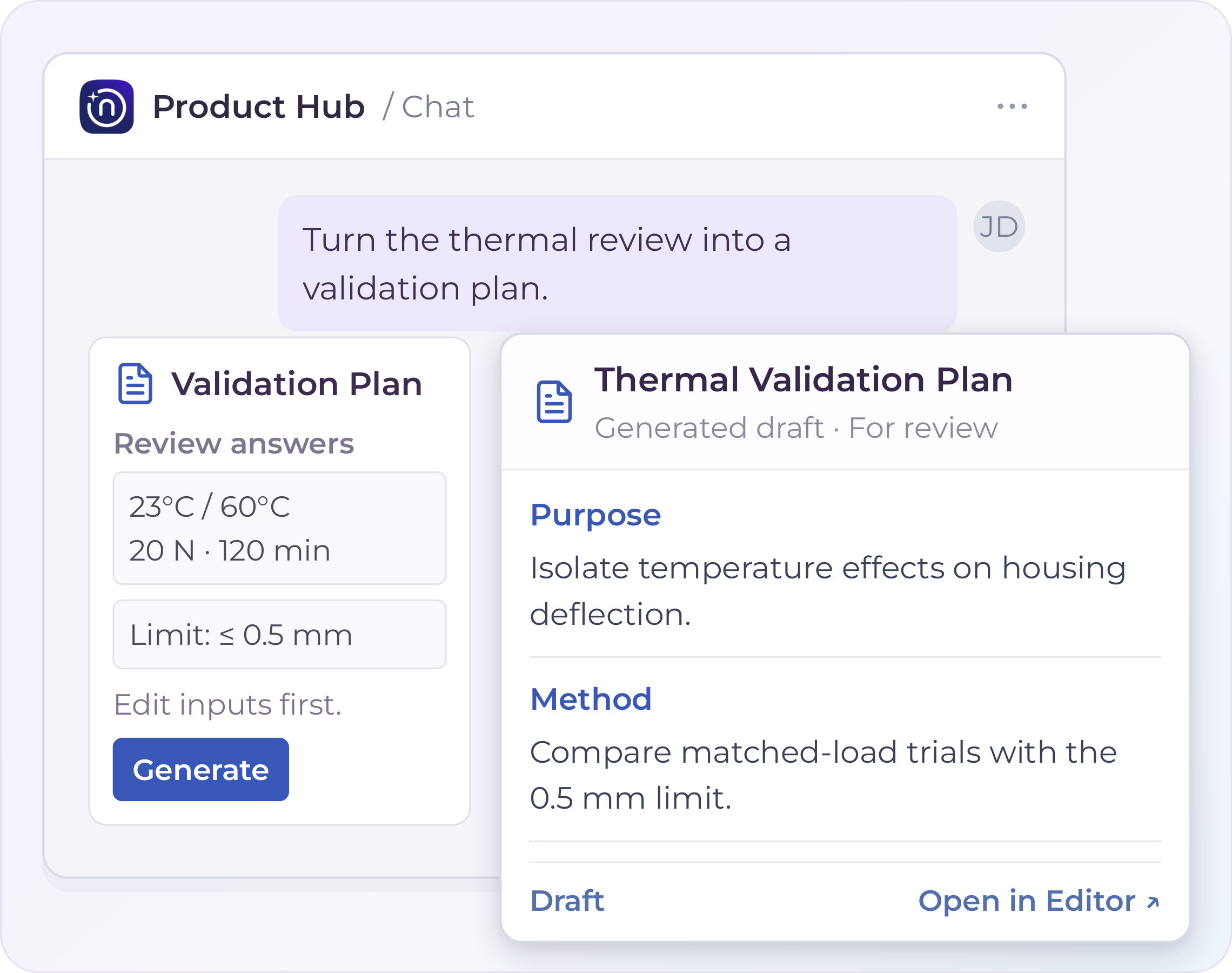
Start a Smart Template for a validation plan with the objective, service conditions, acceptance criteria, and evidence from your conversation. Review and edit the drafted answers before generating the document, then refine the plan in the Editor.
Reusable Skills
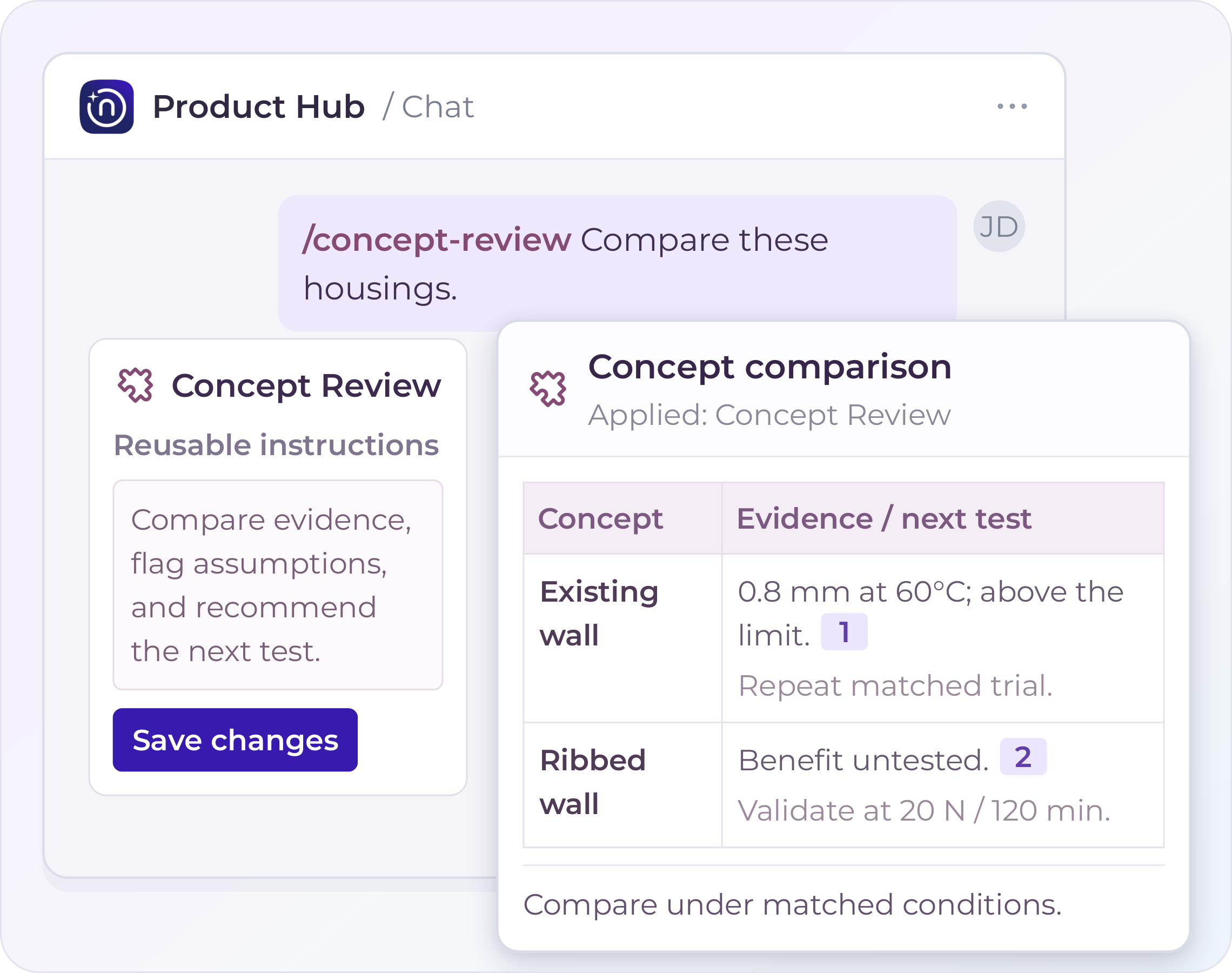
Reuse the Way Your Team Evaluates a Concept
Apply a Consistent Review Method
Save your team’s concept-review method as a skill: compare performance, manufacturability, and unresolved assumptions the same way for each design option. Reuse it in Chat or share it with the team. Write the instructions for your review method, then save them as a Skill. Call that Skill in Chat to apply the method without rewriting the prompt.
Bring New Knowledge into the Review
Attach a new test report to work with it immediately, then choose what to save to the hub for future reviews.
Citations & Source Tracing
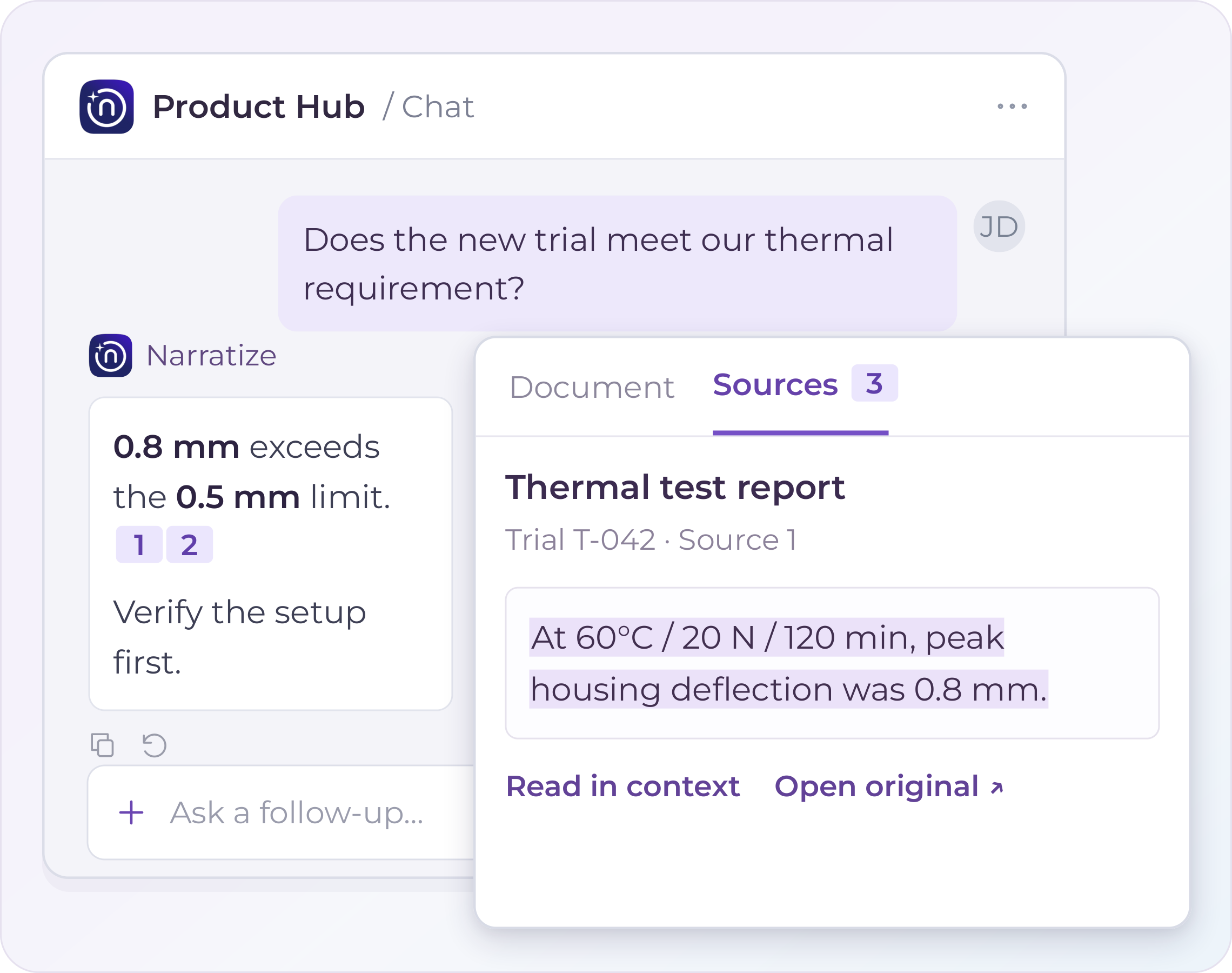
See Exactly What Supports an Answer
Ask which thermal-test findings support the housing’s service-temperature requirement. Follow a numbered citation to the source and read the highlighted passage with its test conditions and limitations.
Connected Context
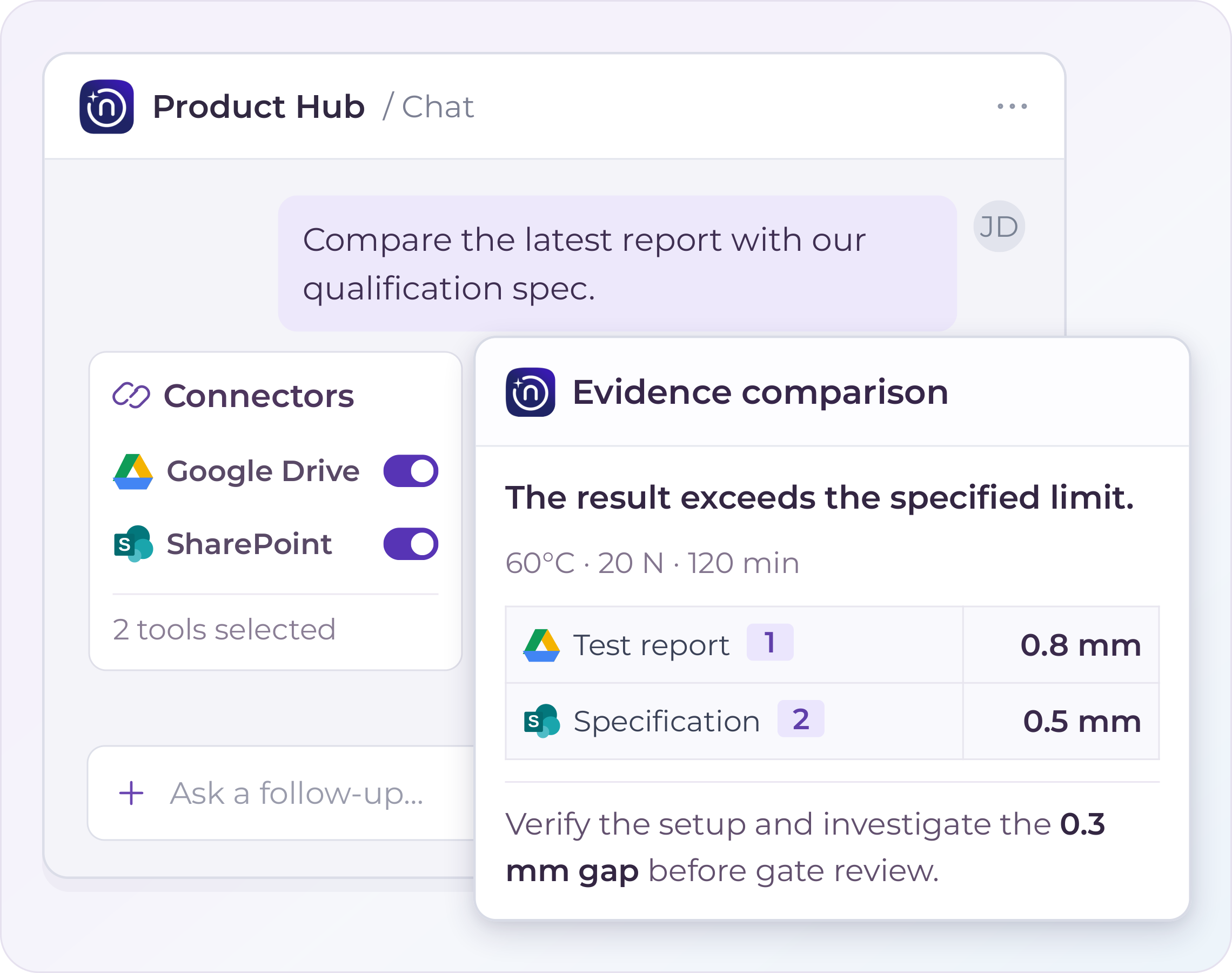
Your Tools, Connected
Retrieve a thermal-test report from Google Drive and the current qualification specification from SharePoint. Compare them with the hub’s design decisions to see whether the test conditions answer the question you need to resolve. Connected files are retrieved on demand; available actions depend on the enabled service and your account’s permissions.
Move Product Development Work Forward
When evidence sits across tools or reasoning gets lost at a handoff, teams spend time rebuilding context. Use Chat to bring that work together and prepare something the next person can use.
01 / New Findings
Assess What a New Finding Changes
When a lab result or supplier specification changes, compare it with current assumptions, specifications, and prior decisions. Draft an impact brief naming the affected conclusions and the questions each function needs to resolve.
Chat · Impact Analysis Chat · Impact Analysis

02 / Prior Learning
Build on Earlier Attempts
Before repeating a trial, find earlier work that used a similar approach. Ask why it succeeded or failed, whether those conditions still apply, and which test would resolve the remaining uncertainty.
Skill · Test Review Skill · Test Review
03 / Gate Decisions
Prepare a Gate Decision
Before a gate review, compare the criteria with evidence in the hub. Identify supported conclusions, conflicting sources, and unknowns, then start a template to prepare the decision brief for reviewers.
Agent · Alignment Checker Agent · Alignment Checker
04 / Cross-Functional Handoffs
Hand off the Reasoning with the Work
When work moves to another team, pull the decisions, alternatives, and open assumptions from meetings and documents. Draft a handoff that explains what was decided and why, then save it to the hub.
Template · Handoff Brief Template · Handoff Brief
Bring a Question from Your Own Work
Copy a prompt, replace the bracketed text, and run it in a product hub with the relevant knowledge or connected sources available.
01 / Assess a New Finding
Compare the attached test report with our current specification and prior decisions. List the conclusions it affects and the questions each function needs to answer.
02 / Find Prior Learning
Find earlier projects that tried [approach]. Explain why each one succeeded or failed and whether those conditions apply to this project.
03 / Run an Agent
Run the Alignment Checker on this hub. Then list the conflicts that affect our [gate name] review.
04 / Check Connected Tools Against Your Hub
Pull the open items for [project] from [connected tool]. Compare them with the risks documented in this hub and list any gaps.
05 / Prepare a Gate Review
Compare our [gate name] criteria with the evidence in this hub. List what is supported, what conflicts, and what is still unknown. Then start the [template name] template.
06 / Check a Product Claim
Check this claim against our evidence: [claim]. List the supporting evidence, the limits, and any conflicting findings. Cite each source.
07 / Write a Handoff
List the decisions, alternatives considered, and open assumptions from the attached meeting notes. Draft a handoff for the [team name] team.
Two More Actions to Try
Save a skill. When a prompt gives you the result you want, save the method as a skill and share it with your team.
Open a citation. Click any numbered citation to read the supporting passage beside the answer.
Move Your Next Product Decision Forward
Schedule a demo focused on a validation question, gate review, or handoff. See how Chat brings the evidence together, runs the analysis, and prepares a document your team can review.
Already a Narratize customer? Open any hub and start a conversation.